
How to Search Cases by Name
Begin at the official re:SearchTX portal for records from eligible participating courts. You will need to register or sign in. eFileTexas credentials work there. A name search often pulls up several people with similar names, so check the court, case type, filing date, and party role before trusting any result as the Lynn County case you actually want.
- Register or sign in, then choose the Cases tab for a party-oriented search.
- Enter the available name carefully. Use Advanced Search, Search By choices, and a wildcard only where the interface supports them.
- Narrow results to Lynn County and the correct court or case category when those filters appear.
- Sort by filed date or case number, open the case description, and compare parties and court details.
- Confirm important results with the District Clerk, County Clerk, justice court, or municipal clerk that maintains the original record.
| Field Label | Type | Required | Notes |
|---|---|---|---|
| Keyword | Text | Interface dependent | Used with Cases, Filings, Text, or Hearings tabs |
| Search By | Selector | Advanced search | Displayed options vary by selected record category |
| County or court | Filter | No | Use Lynn and the known court where exposed |
| Filed date or case number | Sort/filter | No | Helps separate common-name matches |
re:SearchTX Starts With an Account
re:SearchTX is not an open Lynn County index. The statewide system works as an account-based search layer. Its official landing page asks you to sign in or register before any search dashboard appears, and account and identity verification can shape what you reach. Document availability also varies by court and case type.
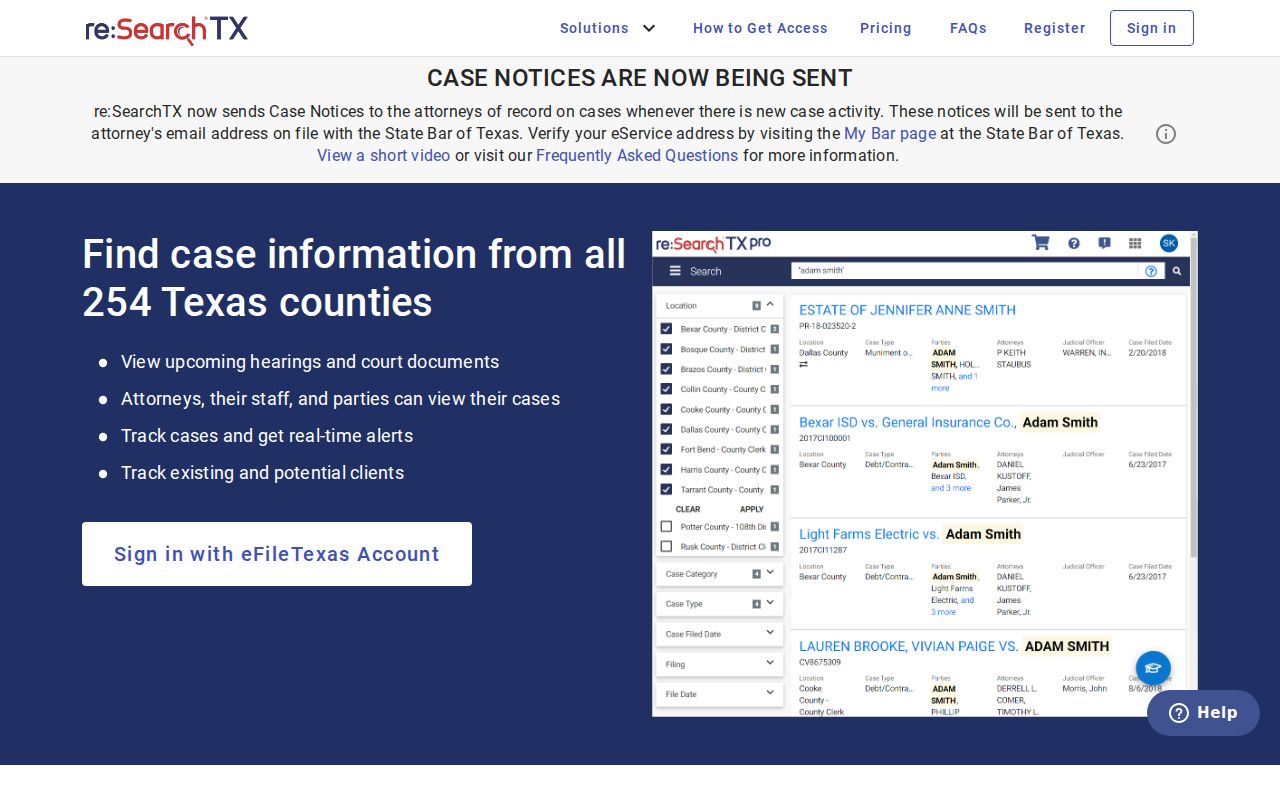
Once inside, pick the tab that fits your question. Cases covers broad case discovery, Filings targets a specific filed item, Text looks through indexed language, and Hearings answers questions about a setting. Saved folders, exports, and alerts add convenience. None of them enlarges the underlying public record or makes a thin result authoritative.
How to Search by Case Number
A full court-assigned number is usually the strongest lookup key. It separates people who share a name. Type the number exactly as it appears on your notice, pleading, citation, or receipt. Keep the punctuation if the system demands it. Lynn County has not published one universal local format spanning district, county, justice, and municipal courts. So treat a made-up pattern like YYYY-XX-##### as nothing more than a guess.
No match? Try the punctuation variations the documented interface accepts. Confirm the number belongs to the court you selected before you call the clerk. A citation number is not always the district or county case number. When you ask an office to locate a known file, give the court, party name, approximate filing date, and record type.
Choose the Search Tab by Question
Your results get sharper when the tab matches the question. Cases works best for identifying a proceeding and opening Case Details. Filings fits a known document title or filing event. Hearings can surface an eligible setting. Text search only reaches indexed content, so it never means every filed PDF is searchable.
- Case Details
- The case-level view that may show parties, attorneys, judicial officers, filings, and hearings.
- Filing
- A document or event submitted into the court file.
- Hearing
- A scheduled judicial event, which may later be reset or handled by submission.
- Alert
- An account feature for updates, subject to portal availability and privacy choices.
Electronic filing is a separate thing. eFileTexas transmits filings. It is not the public case lookup. Sort results by newest filed date, oldest filed date, or case number if that helps. Open the description rather than judging from a result row. Case Details breaks out parties, attorneys, officers, filings, and hearings. Exporting or saving a result preserves what the portal displayed at that moment. It does not certify the record.
What a Case Search Shows
A result row or case-detail screen can reveal enough to identify a matter. Even so, not every field or document appears for every Lynn County court.
| Case Number | The court-assigned identifier used for confirmation and copy requests. |
|---|---|
| Style or Parties | The caption and listed roles, subject to confidentiality and redaction. |
| Case Type | Civil, family, probate, juvenile, criminal, or Class C category when public. |
| Filed Date | The date the proceeding or displayed filing entered the system. |
| Status | An open, pending, closed, or disposed indicator where supplied. |
| Events | Filings, documents, judicial officers, attorneys, and hearings when available. |
A docket is a procedural history, not the whole case file. A listed event with no PDF proves neither that the document is public nor that it is missing.
LGS Is Not a Public Viewer
The current Office of Court Administration District Clerk verification names Local Government Solutions as Lynn County's district case-management system. That describes the clerk's software. It does not create an anonymous public LGS or Odyssey portal. The official pages post no countywide public viewer.
For district civil, criminal, family, and juvenile records, use the District Clerk. County-level matters run instead through the County Clerk and the Constitutional County Court. Public viewing stations and record books are documented County Clerk channels. But the current official public-record request form states plainly that the office does not perform broad searches. Bring a precise identifier.
A practical fallback chain starts with the statewide portal. Then try the maintaining clerk or municipal court. After that, try a courthouse public station or record book. The final step is a written copy request focused on what you need. Supply the case or instrument number you have, the party name, an approximate date, the court, and the copy type you want. Do not ask for an unlimited name investigation. Its own form says the County Clerk does not perform searches. If the dispute or prosecution is federal rather than state or local, switch to PACER and the Northern District of Texas route.
System boundary: A case-management vendor name does not prove that its internal database is available for public web searching.
County vs Statewide Case Search
Neither route is complete for every Lynn County case. Pick based on venue, record category, and how much identifying information you already hold.
| Statewide re:SearchTX | Lynn clerk or local court |
|---|---|
| Searches eligible records from participating Texas courts | Maintains the originating local record |
| Requires account sign-in or registration | May offer phone, counter, station, books, or written-request access |
| Current collection excludes criminal case records | Correct route for Lynn criminal confirmation |
| May provide case details, filings, hearings, export, and purchases | Can explain local identifiers, copy products, and access restrictions |
The 2024 Judicial Council report traces a large system back to 2016. A statewide integration initiative targets November 1, 2025. That policy history proves nothing. It does not show whether every Lynn category is current online.
Document access differs from index access, too. re:SearchTX uses a cart for available document purchases. Official OCA material has described public pricing of ten cents per page with a one-dollar minimum under the stated portal rules. Confirm current charges before you buy. Seeing a docket description never guarantees the underlying PDF is free, unrestricted, or even present.
Directory Search Identifies the Custodian
The OCA judicial-directory search provides criteria and export controls for finding courts and officials. It is a routing source, not a party-name docket.
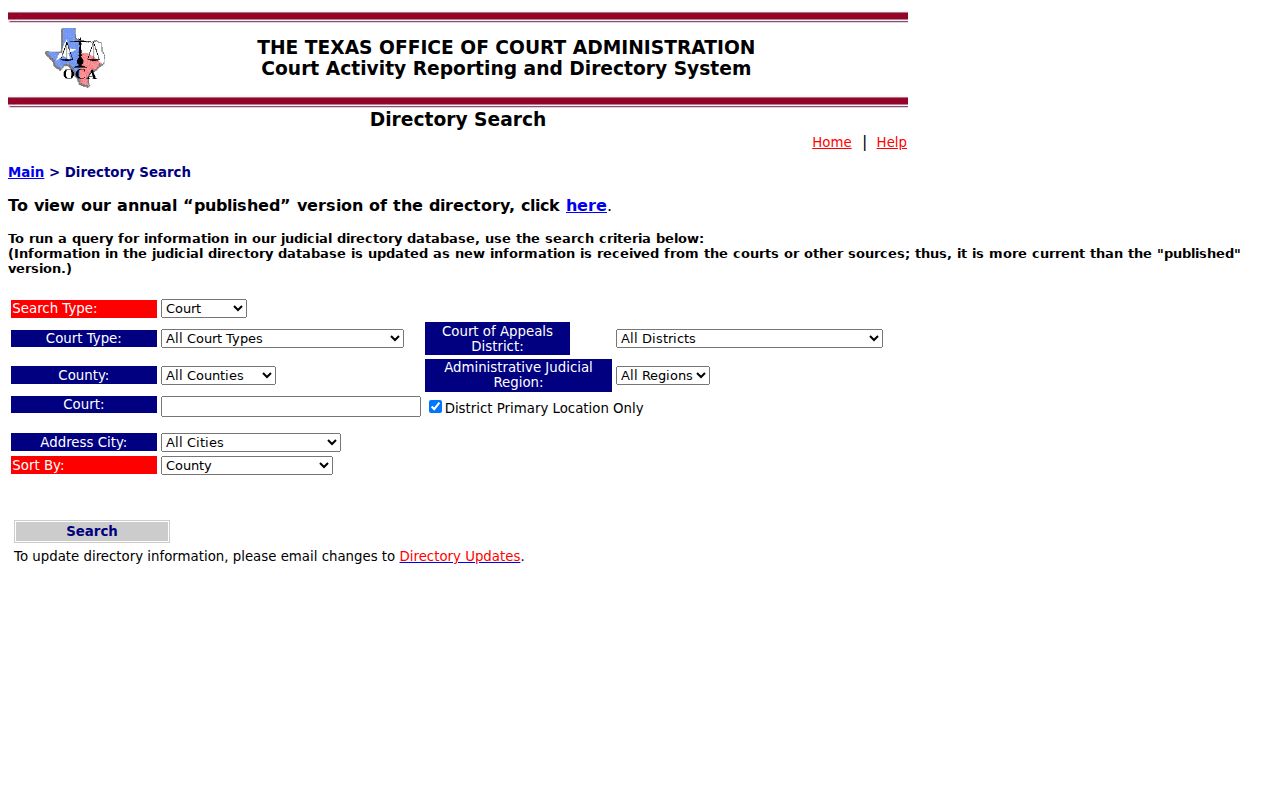
The directory shines when paperwork names a court but skips the contact details. Texas organizes Lynn County matters across the 106th District Court, the Constitutional County Court, the justice precincts, and several municipal courts. Find the right clerk first. Then ask that office directly about the case status or record. The directory itself holds no litigant files.
Citation Searches Cover Specific Courts
Two Lynn County portals serve citations and payments, not broad litigation searches: Tahoka Municipal Court and the Lynn JP Precinct 1 Tyler portal. Tahoka lets you look up a ticket several ways. Pick citation number plus date of birth, driver license and state, Social Security number and date of birth, plate and state, or name and date of birth.
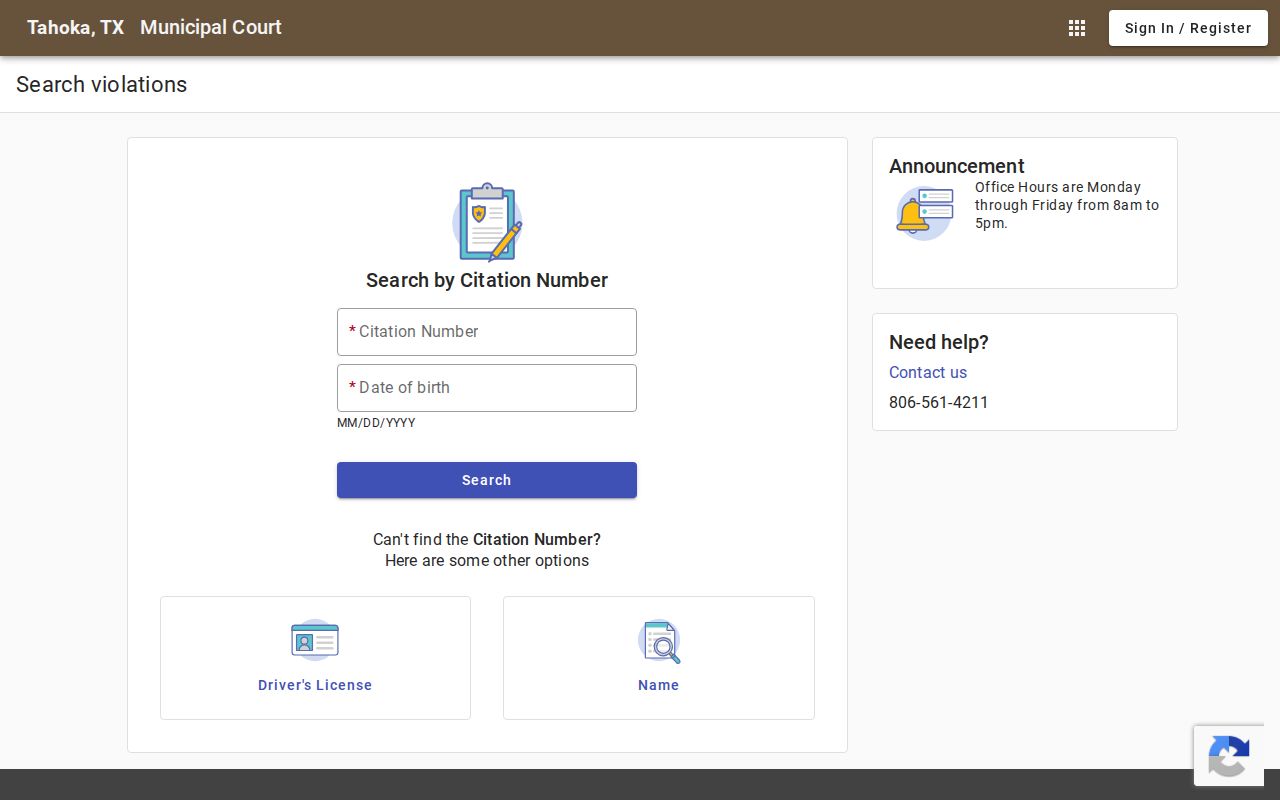
Enter private identity details only for a lookup you are authorized to make. Share the least needed. The portal warnings are worth reading. They note that your payment choice can affect deferred-disposition or driving-safety-course options. A Tahoka hit tells you nothing about a 106th District Court felony or a County Court probate file. O'Donnell, Wilson, and New Home take separate local routes.
Restricted Cases and Access Rules
Some Lynn County court records stay hidden or limited by law: sealed civil material, juvenile records, protected identifiers, certain family information, and anything touched by expunction or nondisclosure. Texas Family Code section 58.003 covers when juvenile records can be sealed, and Texas court rules govern sealing and sensitive data more broadly. A clean docket search proves nothing. Cases can exist without appearing.
A portal sometimes shows the case shell but withholds the documents. Other times it omits the matter entirely. What you can see depends on the law. It also depends on any court order and your role as the requester. So ask the maintaining clerk about the proper procedure instead of typing sensitive identifiers into unrelated systems.
A failed docket search has plenty of ordinary explanations. You may have queried the wrong court, or the name carries an odd spelling. A case might predate electronic records, an integration may be incomplete, the statewide collection may skip that record type, or access may simply be restricted. Rule those out before concluding a case never existed. Federal matters are different. Use PACER, since Lynn County sits inside the federal Northern District of Texas rather than any Texas county or state portal.
Note: Never copy a Social Security number, driver-license number, birth date, minor's identity, or protected address into a public search summary.